
Ultimate Router Security Features for Safer Wi-Fi in 2025

Defending against Sophisticated Cyber Attacks deals with multiple ways stalkers, hackers, and unauthorized user can get through your network protection digitally. It describes the ways WiFi router protection can be countered by super strong WPA3 encryption passwords and then going through the router security features checklist which includes admin, firewall, and guest network firewall configurations. It includes deliberate router security features like tracking devices and firmware updates for admin and guest WiFi ranging from more than a hundred to more than a thousand router connected devices.These above mentioned features lay the primary pillar to the router security features WiFi defense line for both home and office WiFi.
How to Secure Wi-Fi from Hackers
The first thing to consider when attempting to enhance the protection of your network is how to make it more inaccessible for intruders to break into. One of the more overlooked aspects is the strength of your passwords. Weak and default passwords are an easily bypassed security measure for most hackers. This is why it is critical to use long passwords combined with random strings of numbers, symbols, uppercase and lowercase letters that is how to secure wifi from hackers. The use of strong, complex passwords, combined with WPA3, for added security on your Wi-Fi is a bonus. WPA3 also greatly improves your Wi-Fi router protection by encasing your traffic in strong encryption.
Still, one of the most important cybersecurity practices in regards to a Wi-Fi router is WPA3, and the firmware and configuration of the device itself. These routers are nearly always stale, and their fundamental weaknesses are open secrets for intruders to amply take advantage. In this scenario, enabling automated systems and regularly scheduled updates greatly reduces the exposure the router is subjected to at the hands of black hat hackers.
While counterintuitive, enabling WPS and UPnP features are also extreme security risks. Working to defend one’s network by disabling these features reduces one’s chance of becoming a target for those unguarded system vulnerabilities greatly. These are the recommendations, and policies in place for defending against Wi-Fi hacking.
Wireless Router Security Settings You Must Know
A popular challenge your organization may face with a wireless router is configuring its built-in security features. One important tip that can bolster your security is changing the admin password and usernames. Most hackers have information regarding these details, and can use them to access your network. If available, use two-step verification for your router. This adds another router security features for your network. It is advisable to set up a guest network. This enables you to keep your personal devices separate from the devices of your visitors which also lowers any risk of unintentional spread of viruses.
Do not forget to check the built-in firewalls that most routers have. It is more advisable to set the firewall to intercept any potentially threatening traffic targeting your devices. Most routers these days also incorporate content filters for kids which families and any other person proudly concerned with online safety can use to limit access to dangerous sites. It is also helpful to check the access control facilities that you have set. A quick check at the devices that can connect enables you to prevent unauthorized access or limit control to the network. These few suggestions can increase the router security features.
Wi-Fi Router Protection Tips
There are various steps one can carry out apart from changing settings to improve wifi router protection. One of them is physical protection by putting the router in a closed space. Placing a router in an open space such as a good area or near windows and doors is more easy for physical vandalism from the outside to take place. Most of the mid-range and high-end routers provide a hand to the user in configuring and managing not only the wireless router settings but also the connected smart devices. They hand you a dashboard or an app to monitor smart devices in real time.
As a result, you can monitor and detect parallel activities such as access to the available bandwidth by some unauthorized devices. There are other benefits such as enabling the VPN functionality of your router this is how to secure wifi from hacker. In other words, scheduled regular reboots which is another simple, yet effective tactic and encrypts all the data passing through the VPN. This repeatedly modifies the routers and clears out vulnerabilities, followed by optimal performance. Along with automated firmware updates, these steps guarantee that your router meets the standards of the latest protections available. As a unit, these steps provide wifi router protection.
How to Pick a Secure Router
When thinking about the features of a router’s security, it is important to also consider the hardware. When prioritizing hardware features, choose routers that have WPA3 the most advanced encryption standard. This way, no Wi-Fi signal data will be readable even if someone intercepts it. Also, choose routers that have seamless firmware updates, so that manual updates will not be needed and security patches will be seamlessly installed. Additional wireless router security settings measures that prevent malware and attacks from devices reaching the network are built-in firewalls.
Another useful feature is device access control. This gives you the power to restrict access to certain devices, thus countering the efforts of unauthorized users. Combining these features is my strategy on how to choose a secure router, striking a balance on device performance and protection.
Key Router Security Features

Most household and industrial routers are equipped with some must-have router security features, and the first on the list is always the type of encryption utilized. WPA3 is far better than WPA2. Another useful feature is VPN, which facilitates safe browsing, a requirement for remote work involving sensitive data. For households, the features of content filtering and parental control stop the spouse and children from accessing distracting and inappropriate material.
For more sophisticated users and businesses, intrusion detection systems (IDS) provide added value by tracking network traffic and sending alerts for any abnormal activities. All these features work collectively to provide a multi-layered defense system.
Advanced Router Security Features Explained
Other routers have opted to combine several protective technologies and offer more complex features. Encryption technologies like WPA3 include brute force attack protections. Intrusion Detection Systems (IDS) with firewalls integrated use a two-step system to capture dangerous traffic, then flag suspicious traffic patterns and analyze them. VPN with firewall support provides more secure remote access to employees.
Another useful feature is guest network and security solution: In wifi router protection this function prevents guest users from snooping on private files or accessing critical business systems. Beyond the basic protective mechanisms, these features provide complete network safety.
Essential Features for Home Wi-Fi Protection
People require security systems that are strong yet easy to handle and understand. Implementing strong password policies with admin control helps prevent unauthorized entry while automatic firmware updates fix security gaps without the need for manual updates. Administrative tools for monitoring and controlling access allow you to prevent suspicious devices in real-time, adding another defensive layer. Disabling WPS and UPnP, which are often targeted by attackers, minimizes risk for no gain. These are the most important components for home Wi-Fi protection. Ordinary users need a secure, dependable, and hack-proof network.
Business Router Security Features
The consequences of an information breach be it a loss of customer’s information or a company’s sensitive data could result in losing thousands of dollars. This is one of the many reasons why the stakes have significantly increased for organizations nowadays. With that said, Business router security features used by industrial networking system that comes with multi-SSID support which automatically segments the network into multiple zones. VLANs greatly enhance the control of the sensitive data that needs to be kept hidden.
Managing first class business router security features is facilitated through centralized management since the IT administrators can from a single point configure multiple routers. Business routers have advanced threat detection features that give useful information on criminal activities. All these data are then analyzed to provide response time data so that the businesses can take the needed steps. Overall, these features greatly boost routers cyber protection against sophisticated attacks.
How Each Router Feature Protects You from Hackers
Explaining what each feature does helps explain how to secure Wi-Fi from hackers in more concrete terms. Encryption scrambles your data so that even criminals, should they manage to obtain it, won’t be able to make sense of it. Firewalls function as walls, restricting access for digital intruders. VPN capabilities offer something like corridors for safe, removed work, isolating and coating the data stream in armor. Intrusion detection systems keep up the fight with passive defense by telling you of odd happenings, giving you the opportunity to intervene. All of these are advanced router security features create an effective perimeter and for the router to remain safe from intruders.
Future-Proof Router Security Features
Advancing technology brings more cyber-attacks so need more cyber security and want to know how to secure wifi from hackers, which is why protecting IoT devices is so valuable. IoT devices that are protected by routers have wifi router protection can secure smart cameras, smart thermostats, and other easily compromised IoT monitoring appliances. Machine learning is used to ensure that irregular and oblique behavioral patterns capable of breach are monitored and recorded by AI-based abnormality detection systems.
Cloud-based router management enables users and IT teams to provide remote protection on the routers increase router security features. After surveillance and router modifications, constant security can be used. Finally, routers are guaranteed to be secure for many years since support for WPA3 standard, and other future frameworks is provided. Router security features is designed to withstand changes in emerging threats without degradation of performance.
Why Choose C3 Automation Company?
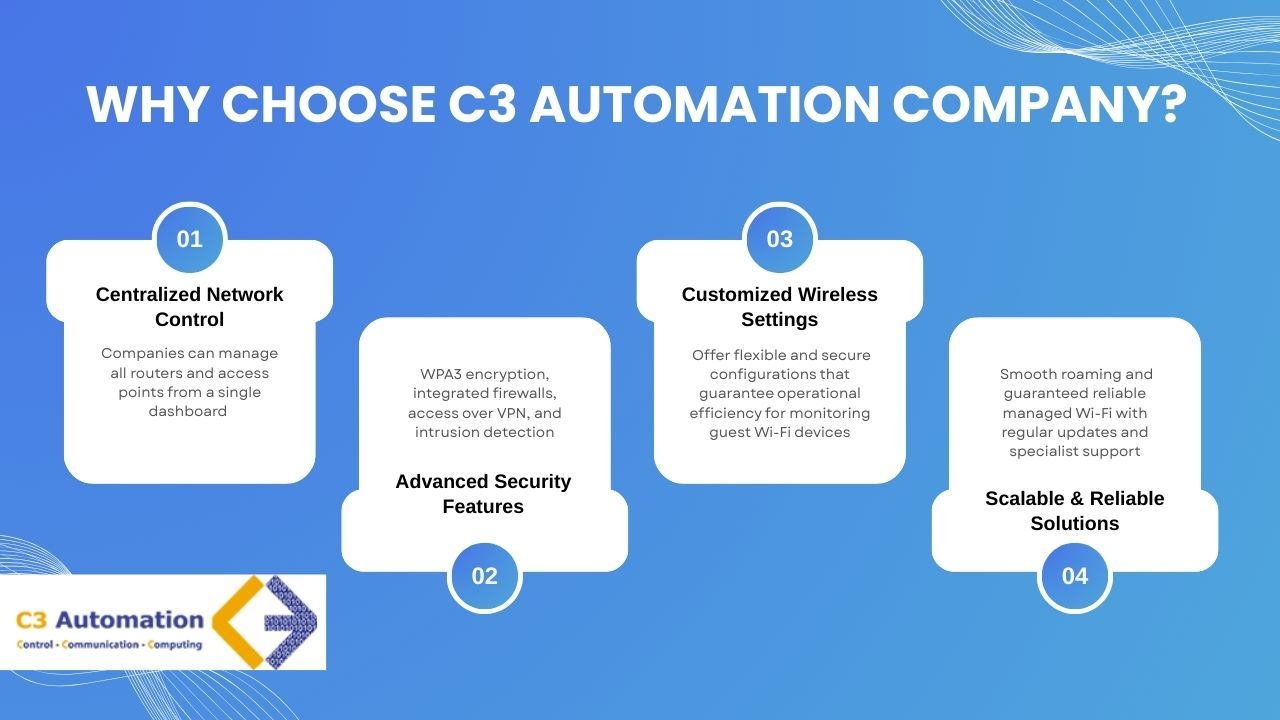
Centralized Network Control
C3 Automation, through Managed Wireless Access Point Solutions, provides full centralized network control. Companies using LAN-managed controllers or cloud-based WiFi access points can manage all routers gives router security features and access points from a single dashboard to maintain system performance and security across multiple sites gives wifi router protection.
Advanced Security Features
The deployment of our 5GHz WiFi access points gives an array of advanced security controls such as WPA3 encryption, integrated firewalls, access over VPN and intrusion detection . These layers ensure high-speed, reliable wireless connectivity to enterprise users while safeguarding wireless networks from cyber threats.
Customized Wireless Settings
With C3 Automation, you receive tailored wireless router security settings that fit your business. Our Managed Wireless Access Point Solutions offer flexible and secure configurations that guarantee operational efficiency for monitoring guest Wi-Fi devices and role-based access in office, storage and industrial site deployments.
Scalable & Reliable Solutions
Constructed to be resilient and future-ready router security features, our cloud Wi-Fi access points seamlessly support enterprise growth. Users enjoy smooth roaming and guaranteed reliable managed Wi-Fi with regular updates, and specialist support while experiencing zero downtime across multiple branches and campus.
Conclusion
Recognizing that your router is your gateway to the internet, the appropriate practices should be followed for smart router security, techniques on how to prevent unauthorized access to Wi-Fi and the proper agreement to established practices on Wi-Fi router security features can greatly reduce these risks. The use of modern router security features access for home and business purposes ensures accuracy of the increasing router security concerns for lasting dependability and security. The peace of mind that comes with knowing your network is secure from both current and emerging threats is something that can be achieved with the professional support from companies like C3 Automation.
FAQ
1. What are the most important router security features?
The highest importance router security features are the WPA3 encryption, robust passwords, automated guest network setup, firewalls, and automatic firmware upgrades. These features enhance Wi-Fi router protection and unauthorized access minimization.
2. How to secure Wi-Fi from hackers at home?
The default admin password, WPA3 encryption, disabling WPS, and periodically updating router firmware are the best ways to secure Wi-Fi from hackers, along with monitoring admin-forgotten devices. Increasing and maintaining strong wireless router security settings is the easiest way to enhance network safety.
3. What wireless router security settings should I enable?
Increased protection for a wireless router security features includes enforcing the use of the default password policy, enabling WPA3, turning on the firewall, creating a separate guest network, and disabling other less useful options, such as UPnP. These concern basic router wireless security settings and optimally strengthen the router protection.
4. What features should I look for to pick the most secure router for home or office use?
Among the basic features the router should have a firewall, WPA3, and also VPN support, intrusion detection systems, and VPN support, and automatic firmware updates. Choosing the correct device is the first step to securing the Wi-Fi router from attackers.
5. Can I protect my Wi-Fi without replacing my router?
Absolutely. The use of the wireless router security settings, periodic firmware updates, and creating a strong admin password followed by a guest network increase the protection of the Wi-Fi router. These measures are more than sufficient to secure the Wi-Fi network from intruders without any additional investments.